A FEW SIMPLE STEPS
Get started
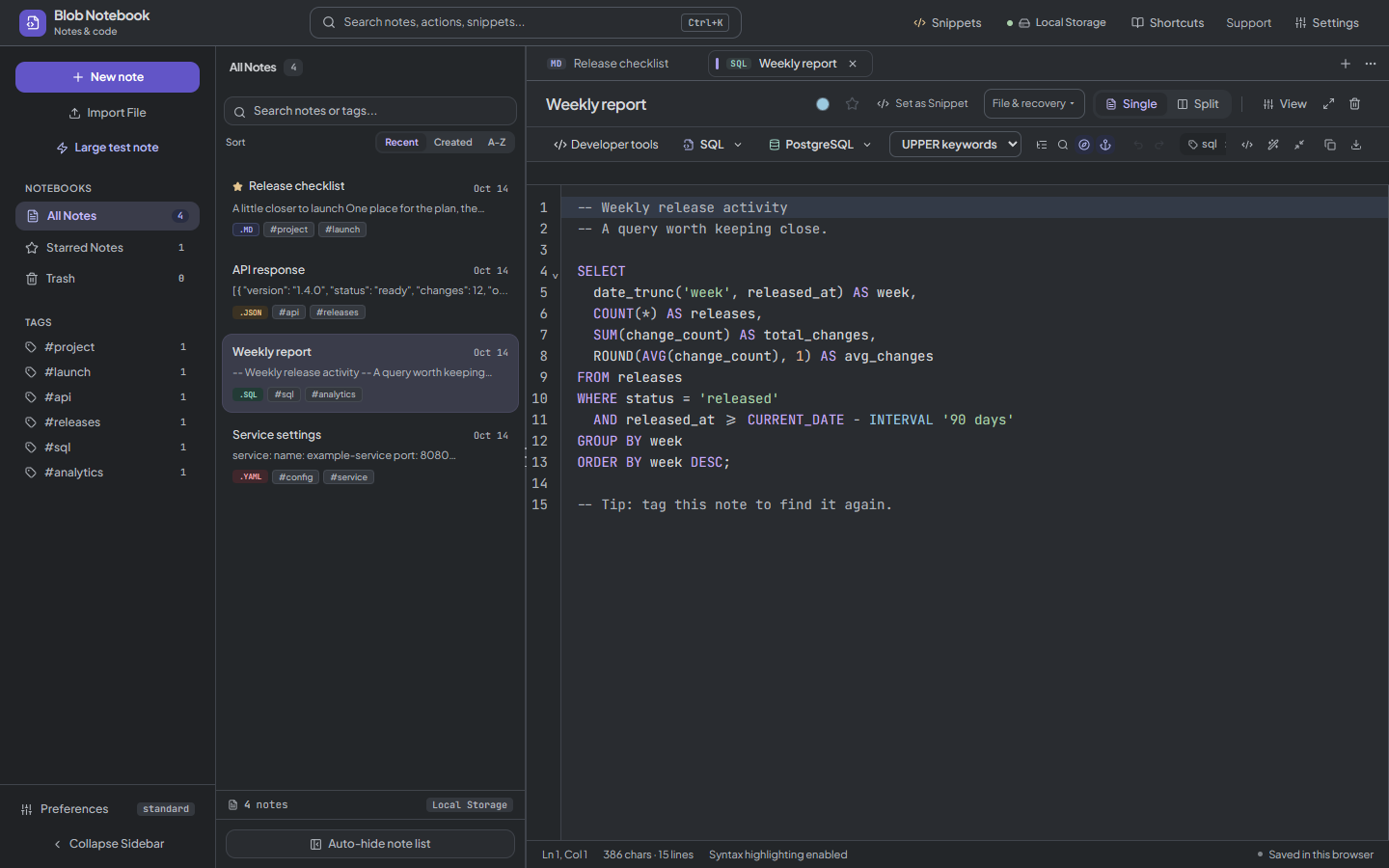
- Create a note, choose SQL, and paste or type a query.
- Select the SQL dialect, or begin with Auto-Detect.
- Use Format in the code tools to make the query easier to inspect.
- Review the changes, save the note, and copy or download the query for your database client.
Open editor takes you to the draft on this page. Paste or open a source file, or choose Try this example. Save to notebook keeps a named copy with your notes. Your workspace style stays unchanged.
Choose a SQL dialect before formatting
Use Auto-Detect as a starting point, or select the database syntax you know you are writing. Options include PostgreSQL, MySQL, MariaDB, T-SQL for SQL Server, SQLite, Google BigQuery, Snowflake, Oracle PL/SQL, DuckDB, ClickHouse, Trino / Presto, Amazon Redshift, Spark SQL, Hive, DB2, SingleStoreDB, TiDB, Couchbase N1QL, and Standard SQL.
Choose upper, lower, or preserved keyword case before Format. Quoted identifiers, strings, and comments retain their case. Detection and fallback formatting are conveniences: review the result against your intended dialect before using it. To build an IN list from values, open Developer tools or select the values and use its right-click submenu.
Save a query and compare a revision
Keep recurring reports in separate tagged notes or save a reusable code snippet. Put an old query in Pane A and an edited query in Pane B to review changed lines before copying the result.
This is a SQL text editor and formatter. It does not connect to a database, execute a query, or verify its results. Run and test the final statement in your database environment.
A few questions
Can I format SQL without a database connection?
Yes. Formatting runs in the browser and needs no database credentials. After the app is ready for offline use, the formatter can also be used without a connection.
Does a formatted query mean the SQL is valid?
No. Formatting can fall back when a dialect parser cannot handle a statement. It is not a guarantee of valid syntax, safe execution, or correct results.